
Permit drawings · 3D rendering
Renders or Permit Drawings: What Do You Actually Need?
Quick answer
Permit drawings are the technical, code-compliant documents your city's building department requires before you can start construction. 3D rendering is a visual preview that shows what your finished project will look like. Most homeowners need permit drawings to build legally. Renders are optional, but they help you and your contractor confirm the design before it's built. NALO HQ generates both permit drawings and 3D renders from a single project, so you don't have to choose between them or hire two different people.
Where NALO Fits Into This
Before going further, here's where NALO HQ comes in. NALO HQ is a platform that generates permit-ready engineering drawings and photorealistic 3D renders for home projects like patio covers, decks, and ADUs in Texas. You answer a few questions about your project, upload some photos and your survey, and NALO HQ builds your plans against your city's exact building codes in about 30 minutes to an hour.
NALO does not perform site inspections or replace a licensed architect for complex structural work. What it does is take your project details and turn them into documents you can actually submit, whether that's a permit set for the building department or a render to show your contractor and family what the space will look like.
With that out of the way, let's break down the difference between the two.
What Are Permit Drawings?
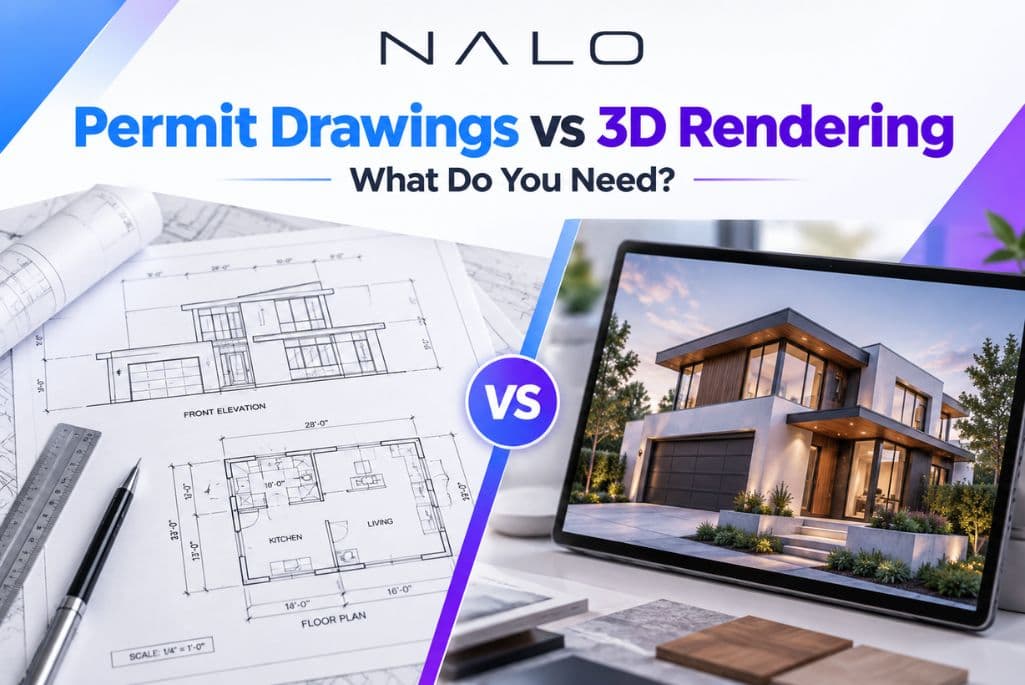
Permit drawings, sometimes called permit plans or engineering drawings, are the technical documents your city requires to approve construction. They include:
- Site plans showing where the structure sits on your lot
- Foundation and framing details
- Elevations and cross-sections
- Structural notes and load calculations
- Compliance details for setbacks, height limits, and local codes
A building inspector reads these drawings to confirm your project meets code. Without them, most cities will not issue a permit, and building without one can lead to fines, stop-work orders, or problems when you sell the home.
This is the document set NALO HQ builds every time. Every dimension is checked against your city's actual requirements before the plan is finalized, so the drawings match what your local building department expects to see.
What Is 3D Rendering?
A 3D render is a realistic image of your finished project. Instead of technical lines and measurements, a rendering shows the materials, colors, lighting, and overall look of the space once it's built.
Renders are built from your photos and a description of your project. NALO HQ uses this information to generate a photorealistic image of your patio cover, deck, or addition in place, on your actual property.
Renders don't get submitted to the city. Their job is different: they help you see the project before it exists, so you can catch design choices you don't like, compare finishes, or show a partner or contractor exactly what you're picturing.
Permit Drawings vs 3D Rendering: The Core Difference
The easiest way to think about it:
- Permit drawings answer the question, "Will the city approve this?"
- 3D rendering answers the question, "Will I like how this looks?"
One is a legal requirement. The other is a design tool. Building permit drawings vs. 3D plans serve different audiences too. Permit sets are read by plan reviewers and inspectors. Renders are for you, your family, and your contractor.
Neither one replaces the other. A beautiful render with no permit set won't get you a building permit. A permit set with no render leaves you guessing what the finished patio cover or deck will actually look like until it's built.
When You Need Permit Drawings
You need permit drawings any time your project requires city approval, which is most of the time for:
- Patio covers and pergolas
- Decks
- ADUs and home additions
- Structural changes to an existing home
If your city requires a permit for the work, you need drawings that meet its code before you can legally start.
When You Should Add a 3D Render
A render is worth adding when:
- You're choosing between materials, colors, or layouts
- You want contractor bids based on a shared visual, not just a description
- You want to see the addition or deck against your actual house before committing
- You're presenting the project to a spouse, HOA, or family member who wants to see it, not just read about it
Architectural rendering and permit drawings work well together here. The render helps you finalize the design decisions. The permit set locks those decisions into a document the city can approve.
Why Get Both
Most homeowners end up needing both documents at some point in the project. The render helps you settle on the design early, before construction pricing and permit drawings are finalized. The permit set then documents that finished design in the technical format your city requires.
Ordering 3D rendering and permit drawings together, instead of separately, also keeps the two documents consistent. The dimensions and layout in your render match what's on your permit plans, since they come from the same project details.
NALO bundles this as one package. You provide your project details once, and get both the permit set and the render generated from that same information.
Getting Started
If you're not sure which one your project needs, start with the permit drawings. That's the document that determines whether you can build at all. Add a render if you want to see the finished look before you commit to materials or get quotes from contractors.
NALO HQ generates permit-ready drawings in about 30 minutes to an hour, built against your city's exact codes, with photorealistic renders available as an add-on or bundle.
Frequently Asked Questions
Most cities require a permit for patio covers and decks above a certain size or attached to the home. Check with your local building department, or start your project with NALO HQ to see what your city requires.
No. Cities require technical, code-compliant drawings with dimensions, structural details, and site plans. A render is a visual aid and is not accepted as a substitute for permit drawings.
Yes. You enter your project details once, upload your photos and survey, and NALO HQ uses that same information to generate both the permit set and the render.
Permit drawings are generated in about 30 minutes to an hour. Renders are generated from the same project information, so you can get both without a second round of questions.
Not usually, but many contractors prefer working from a render because it removes guesswork about materials, color, and layout before they price the job.
If your project involves conditions outside NALO's supported scope, such as unusual structural issues, those should be reviewed by a licensed architect or engineer before permit drawings are finalized.
Not directly. The permit drawings are built to code requirements. The render simply visualizes the same project so you can confirm design choices before or alongside submitting for a permit.
Start With the Drawings Your City Will Actually Approve
NALO builds your permit set against your city's exact codes in about 30 minutes to an hour — and generates a photorealistic render from the same project details, so what you see is what gets submitted.